FAQ
How to add card details to the blacklist?
Blacklist management is divided into three groups:
- Transaction attributes
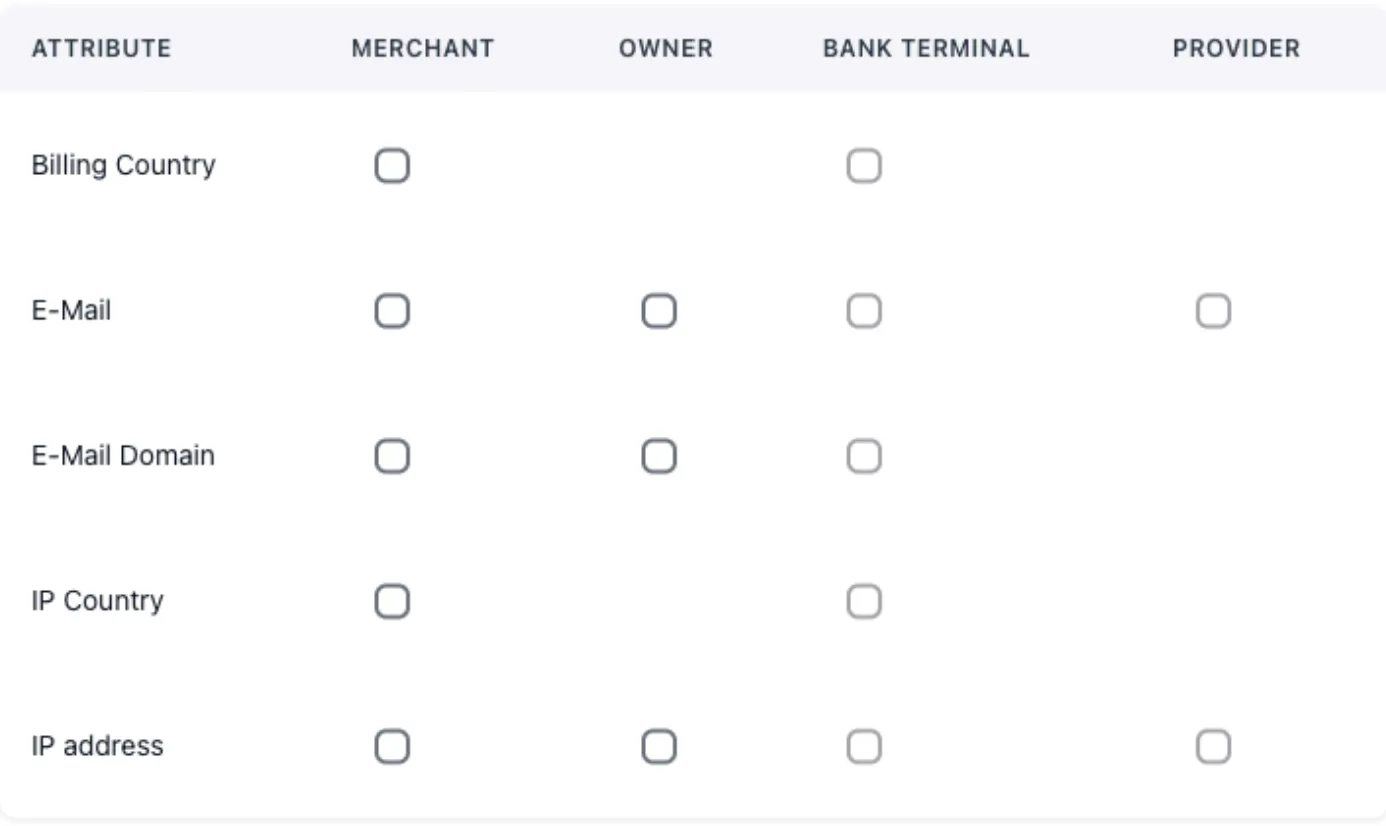
- Sender card attributes
- Recipient card attributes
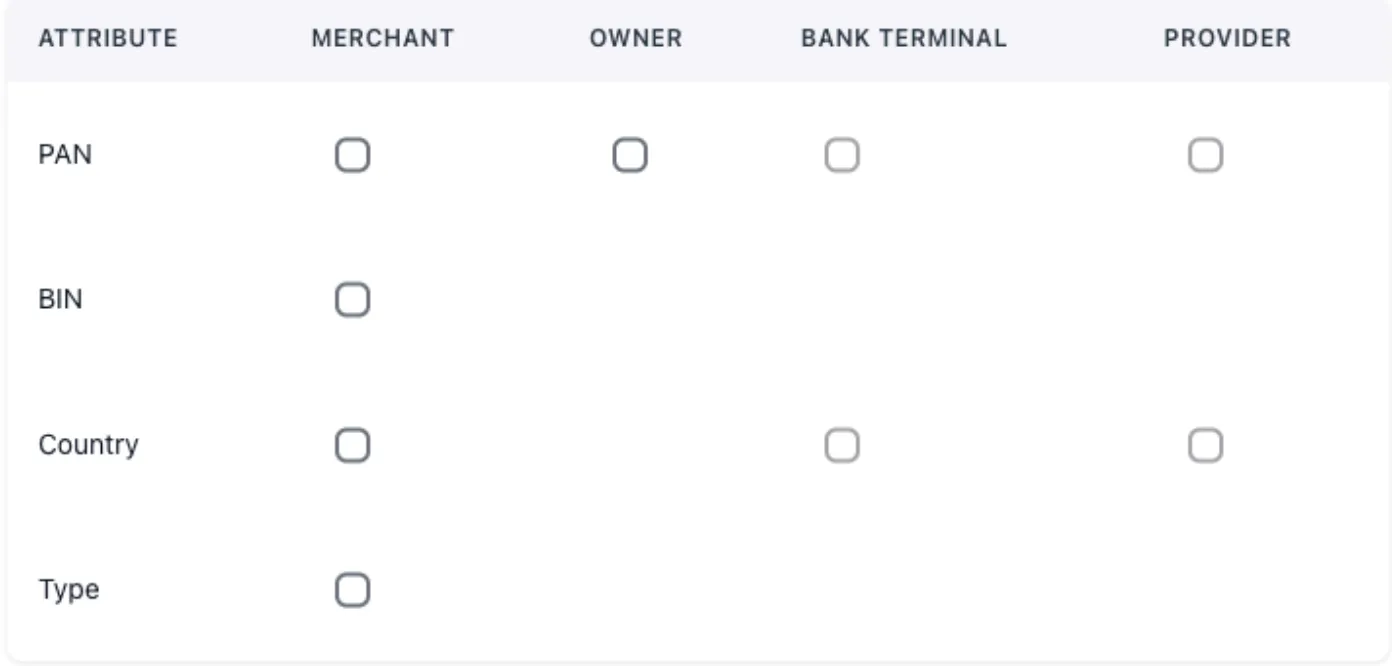
You can block a Merchant, Owner, Bank Terminal, and Provider using the necessary parameters listed in the first column of the table.
Simply check the corresponding box if the field is available.
We recommend loading attributes into blacklists rationally. Use a centralized stop-list provider with subsequent terminal queries to it.
How to manage transaction statuses?
List of actions with transactions:
- Decline - cancel a successfully processed transaction
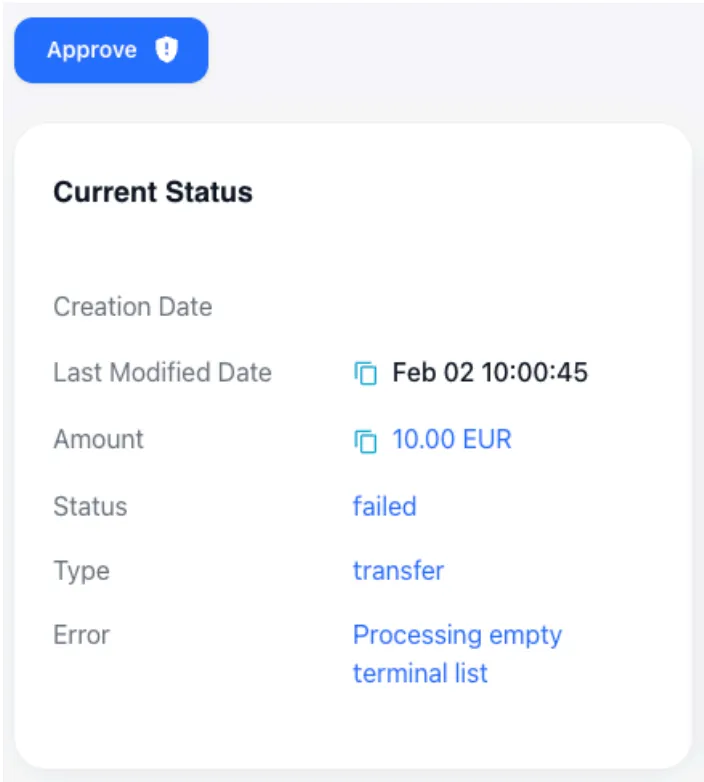
- Approved - confirm an unsuccessfully processed transaction
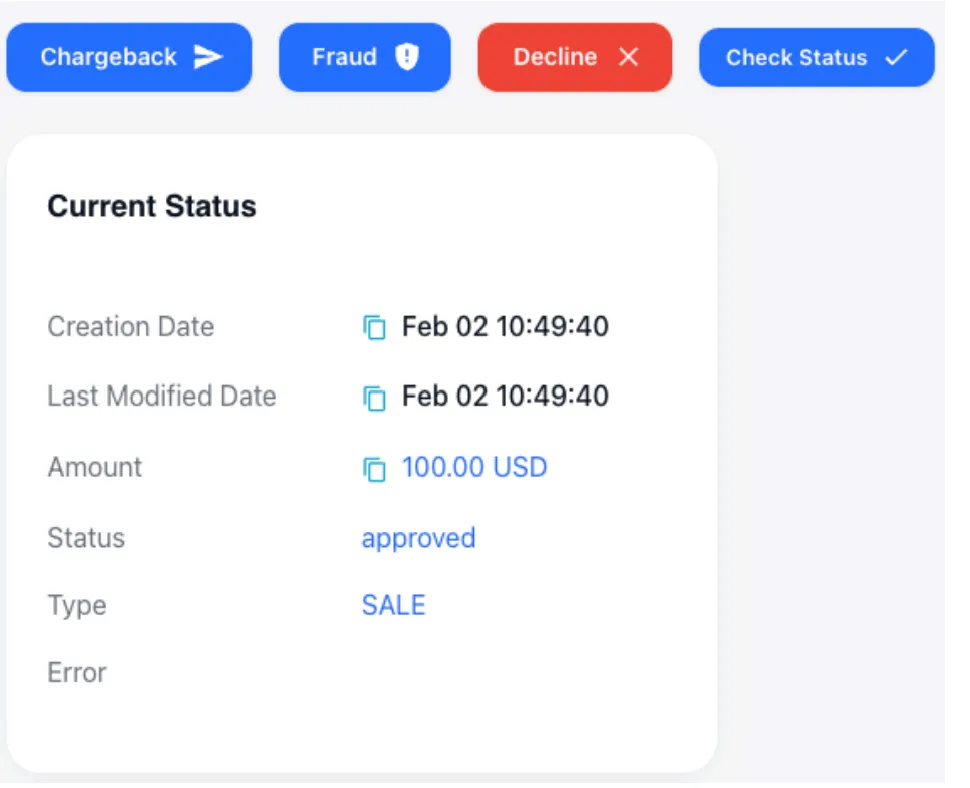
These actions allow the system owner to perform technical manipulations with transaction statuses in case of discrepancies with the provider, as well as to register events received from the card schemes.
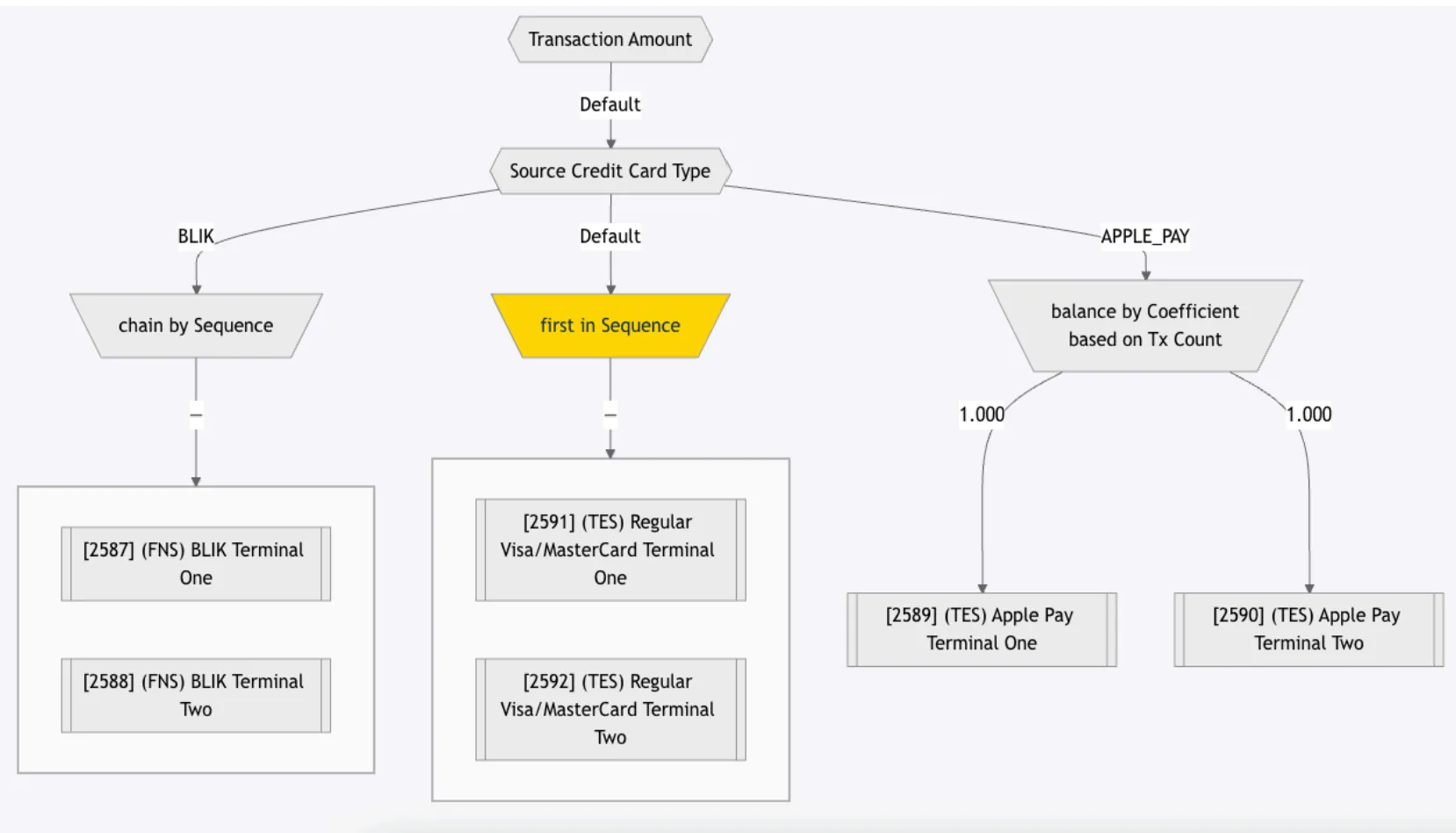
How to configure routing and cascading in Route?
General settings
Transaction routing is available for any initiator transaction types (Deposit, Withdrawal, Account Verification, and others).
Routing configuration does not depend on the payment method type.
How to exclude bank terminals from cascading?
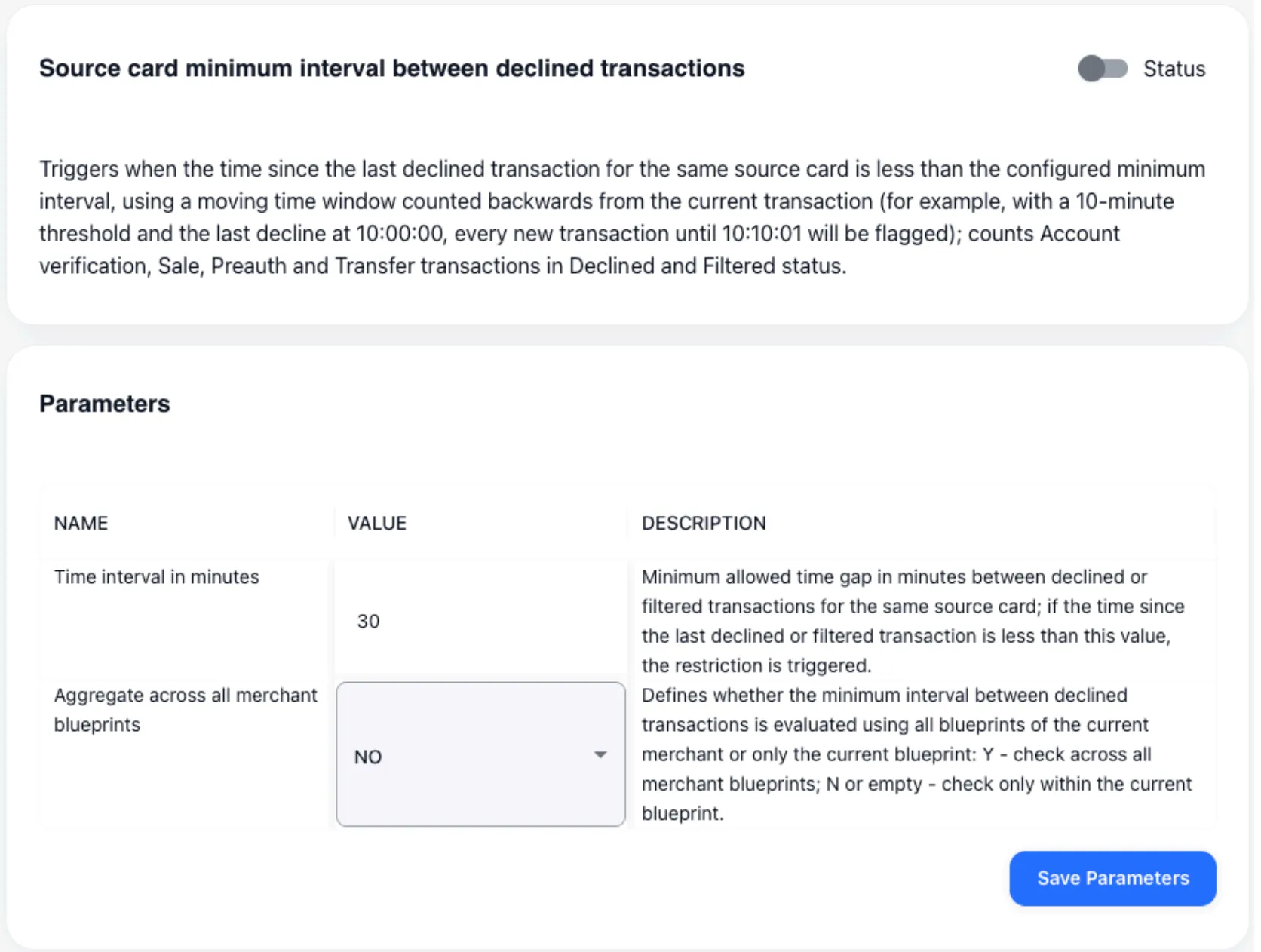
If you need to exclude bank terminals, you can use the following tools:
- Restriction at the bank terminal level - upon receiving a decline, it prohibits the user from reusing this terminal for transactions for 10 minutes.
The restriction is configurable.
- Traffic splitting by different financial instruments - If necessary, client bases can be clustered by a set of financial instruments.
The bank terminal specifies the instrument name, defines a group of terminals, and enables the restriction. The client is automatically bound to the terminal (and instrument) through which the first transaction was processed.
After that, operations using other instruments in this group are prohibited for this client. If all terminals with the bound instrument are disabled, the client is automatically bound to a new one during the next transaction.
The client is processed only through the first bound instrument of the group.

- Processing limits - define the total restrictions applied to a provider or bank terminal.
If the limits are exceeded, the specified entity will be automatically excluded from processing. Recascading of the remaining bank terminals in the group will be performed.
At the moment, processing limits are configured by support team staff. Self-configuration will become available to users no earlier than Q2 2026.
Processing limits are available for all types of elements in the infological model.

- Upon receiving a decline from the provider, the transaction will be automatically transferred to the next provider in the cascading group.
This transition can be made conditional (based on a specific decline reason) or unconditional (for any reason).
If the provider’s response for issuing payment transfer details is processed correctly, the cascading process will be maximally transparent for the client.
How to redirect URL?
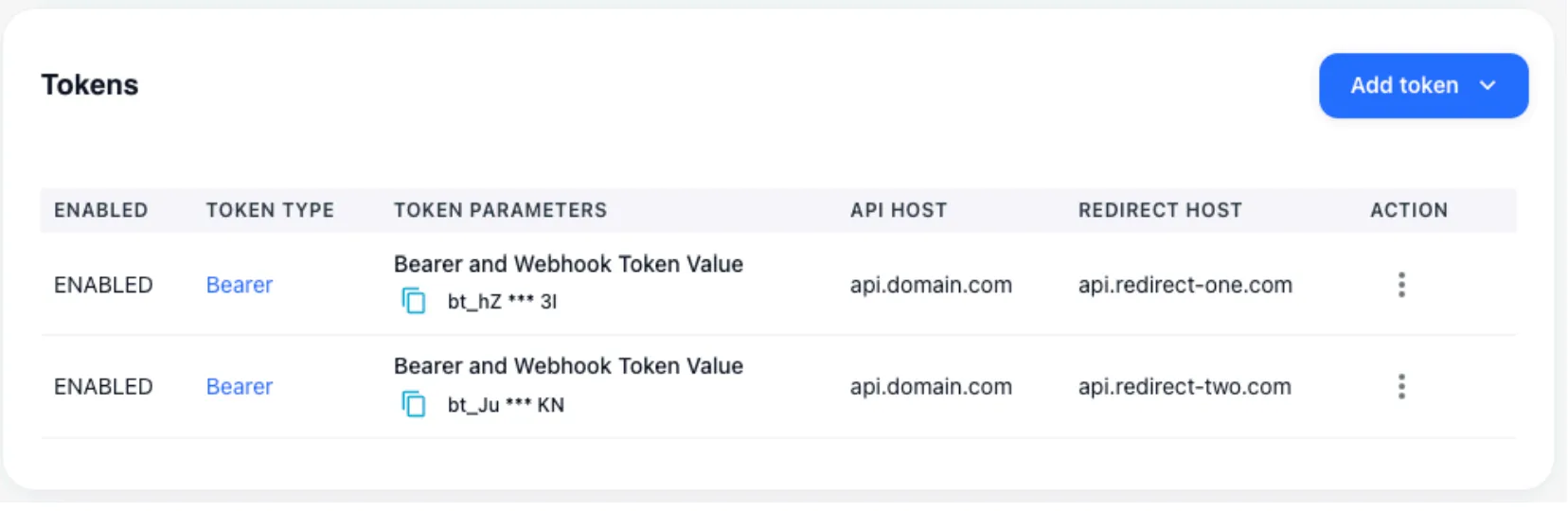
Within a single merchant integration point, you can specify multiple domains for rendering the card data input form or conducting the client authentication process.
In the specified configuration, the merchant will send transaction creation requests to one host, while the client will be redirected to another.
In this case, depending on the transmitted token, the Redirect host can be quickly changed independently if necessary, without involving the merchant, for example, if the domain has been delegated for some reason.
How to configure Merchant Customer info Generator?
The system includes sets of generators that create a realistic picture of the client’s existence. If needed, you can generate with state preservation:
- email from a list of predefined client emails
- address based on OpenStreetMap
- phone number according to the client’s country
- date of birth
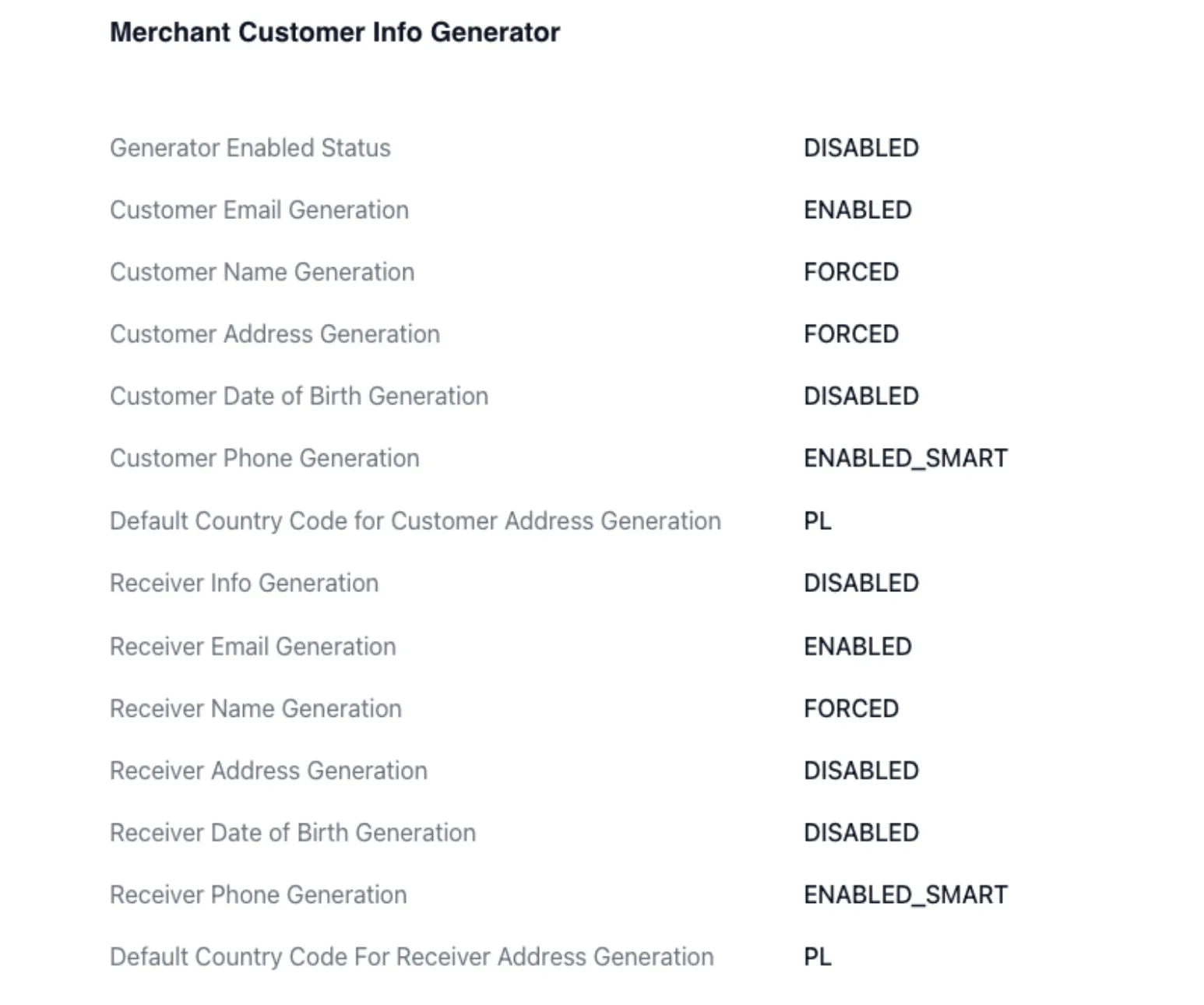
After generation, this information is bound to the client and subsequently used for operations. If the information was generated during a Deposit, it can also be automatically applied during a payout.
Binding is performed to the card number or IBAN.
How is the infological model structured?
The system has a flexibly configurable infological model that allows hiding and encapsulating logic.
The following elements are usually distinguished:
- Merchant
- Traffic source
- Requestor
- Merchant integration point — used to manage keys provided to the merchant; can include FTD/STD and any other business restrictions
- Blueprint
- Routing and cascading logic, as well as transaction restriction settings at the level of the client performing the operation
- Bank Terminal — represents a merchant outlet or an instance of a legal entity/cash register opened with the acquirer; used to manage restrictions on the cash register side and to manage credentials received from the provider
- Channel
- Company opened with the acquirer — used for centralized assignment of common settings for bank terminals within a single legal entity
- Provider
- Acquirer — created and configured via support
The merchant can only see entities up to the Blueprint level. Cascading and routing are not available for the merchant to view.
Which types of users can see transactions?
The system allows separating transaction visibility according to a tree-like logic, but does not allow dynamically granting privileges to users within each individual transaction:
- Super Manager — the maximum access level granted to clients.
This role allows creating system owners. When businesses are divided into Red and Blue, two users can be created who will manage the system independently.
The user who assigned them will see all their actions and transactions and can adjust system settings if necessary.
- System Owner — can manage merchants and configure all elements of the infological model except the provider.
- Merchant — transaction visibility is limited only to their own integration points.
Each user type has catalyzed roles (e.g., support or finance). Privileges available to these roles can be discussed within reasonable limits.
All actions performed by users in the system are logged. It is possible to roll back to a previous version of settings through support.
How is the financial module structured?
A tariff can be specified for each element of the infological model:
- For a bank terminal — acquirer tariff
- On a blueprint — tariff for selling this channel to the merchant
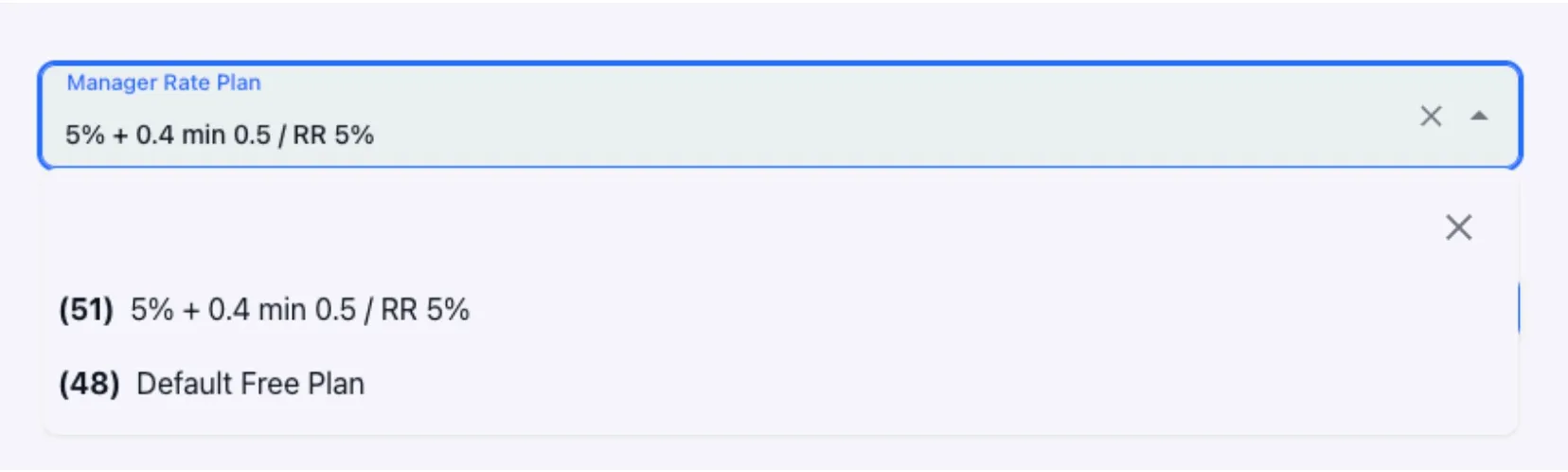
Tariff configuration is currently possible only through support. System users have access only to their application.
To synchronize tariffs, batch upload of existing tariff plans is possible.
The following are supported during upload (for any transaction type):
- Status
- MDR
- Flat
- Minimum commission amount
- RR
The applied tariff is displayed in the personal account in the transaction details.
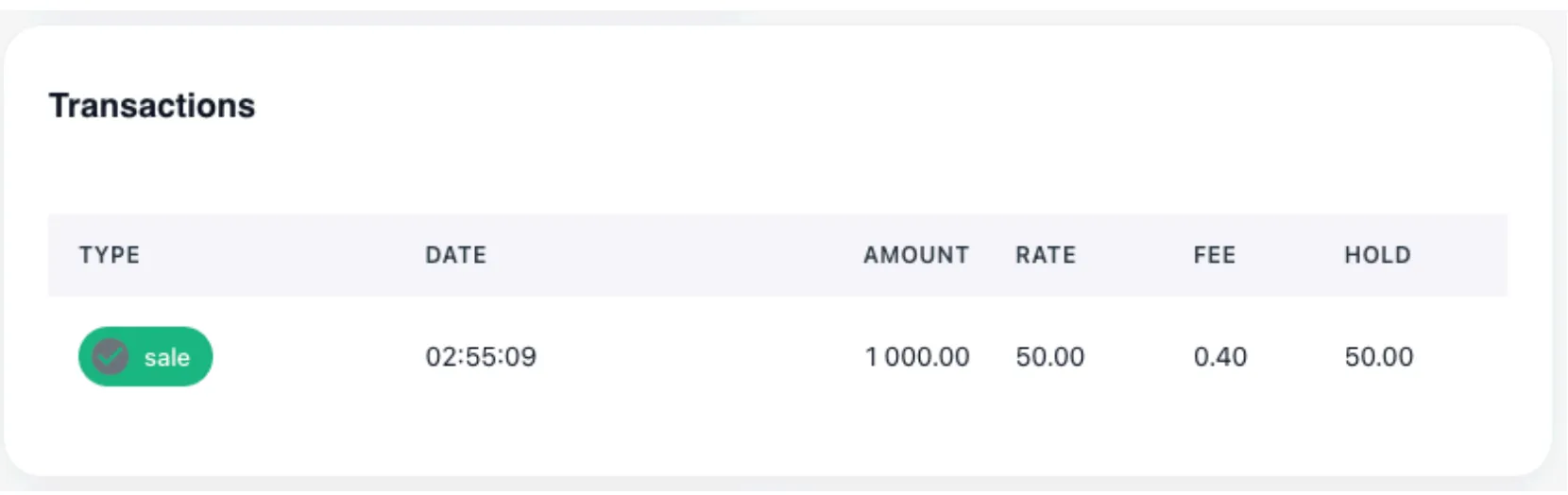
In addition, when onboarding a merchant, automatic balance keeping can be activated for settlement or payout fixation purposes.
 With correct system configuration, the specified data can be returned not only on system screens, but also in user and transactional reports.
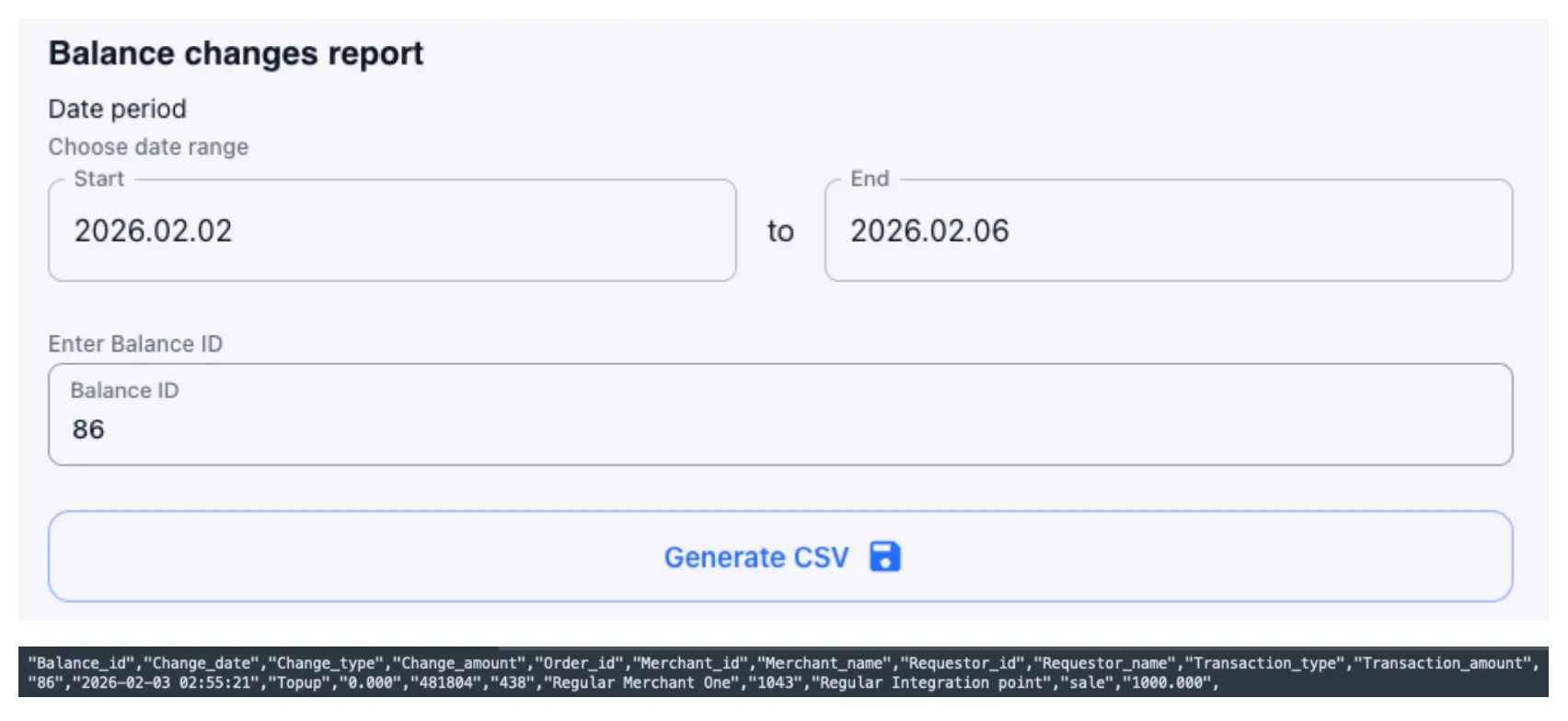
Through support, detailed configuration of the default balance created, as well as adjustment of already existing balances for each merchant and currency, is possible.
How easy is it to automate work with the system? Is API integration supported?
Work with the system is carried out through a visual interface. Client migration can be performed with the help of company engineers.
The UI itself is implemented as a REST API and can be easily automated if desired.
The system includes a special API for retrieving heavy transactional data.
Transactions are available for any period, but a single export is limited to a window of no more than 30 days.
On the UI, data is also available for any period, but no more than 10,000 operations can be displayed and exported from the screen, taking into account the applied filtering criteria.
How does the system determine and set the final transaction status?
Automatic switching to conflicting statuses (approve → decline) is impossible in case of inconsistent provider responses.
Manual or batch status changes are regular practice. If necessary, you can subscribe to events indicating mismatched provider responses within the same order.
Setting the final transaction status depends on the provider’s implementation: either by status or by callback. In case of prolonged absence of a provider response, you can configure a forced status check window.
Network and Provider Tokenization are supported, including complex auto-tokenization logic, depending on the acquirer’s API.
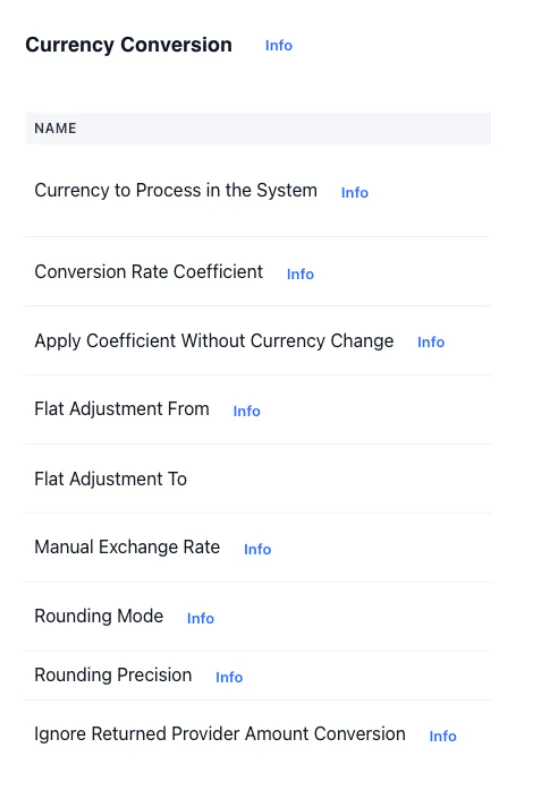
Currency conversion at the system’s internal rate (source: https://openexchangerates.org/faq) is possible at the bank terminal level. This allows configuring merchant integration points in one currency while bank terminals operate in another.
A set of settings is available to manage the exchange rate at the moment of transaction processing.